
limited time only
0
Días
0
Horas
0
Minutos
0
Segundos
Get 10% Off Squeegees
Tu carrito esta vacío
Seguir comprandoTu carrito
Need special account setup for tax-exempt status or special terms? Fill out this form before placing your order.
Total estimado
$0.00 USD
limited time only
Get 10% Off Squeegees
Browse. Edit. Install with Ease.
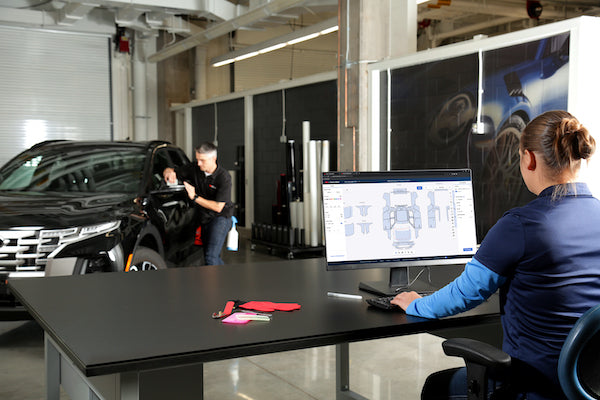
The 3M Pattern Marketplace is an innovative digital solution offering thousands of quality-tested paint protection and window film patterns, stretching back over a decade of vehicle models.
Designed to support an exceptional installation experience, the new and improved editing functions help simplify the pattern editing process and improve efficiency.
Dedicated customer and technical support team ensures regular updates and upcoming features are tailored to cater to the needs of installers for an exceptional user experience.
Access to nearly 4,500 vehicle patterns, going back more than 10 years.
Multi-tab browsing between different patterns on our cloud based marketplace allows you to easily share pattern versions with your entire installation team for collaboration across the shop.
Simplified and on-demand editing tools, including Pattern Ghost and Quick Nest functions, help streamline the editing process, reduce film usage and the need to hand cut on the vehicle.New Edge Wrap Feature now live!
Unlock the full potential of premium features with a risk-free, 14-day free trial!
Yes. Once you have a registered log in for 3M™ Pattern Marketplace you can log in and click on the left navigation to “Convert PSC Pattern”.
See the list of compatible plotter devices that 3M™ Pattern Marketplace is compatible with to ensure a smooth set up and cutting experience. The 3M Technical Support team will continue to help support many other plotter brands that use HPGL, GPGL or other communication languages but there is no guarantee for a successful set up experience.
Additionally, based on the plotter connection type used (USB, Network, Bluetooth, Serial, Serial to USB, other/unknown) there still may be technical troubleshooting required to finalize the cutting experience. We recommend setting up the Cut Agent and your plotter(s) when you register on the site to determine plotter compatibility. The 3M Technical Support team will continue to add new devices as the device testing is completed and functionality is verified. Contact Support for any Cut Agent and plotter set up or technical questions. The support team can be reached via email, phone, or using the support form.
3M Support Hours are Monday – Friday 8:00 AM - 4:30 PM CST
Yes. Once you register, you can log in and click on the left navigation to “Support”. Once on the support tab, click on “tutorial” at the top of the screen to find videos and PDF resources to help you get started.
Please complete this form to request access to purchase the new 3M™ Automotive Window Film Crystalline™ BLK Series. Our team will review your submission and contact you as soon as possible.